
Can AI Computer Control Replace Human Operators? Inside Claude’s Groundbreaking Capabilities
Can AI Agents Replace Human Operators? Inside Claude’s Groundbreaking Computer Control AI agents are rapidly transforming the landscape of work, with one question emerging at the forefront: Can AI agents like Claude replace human operators? As the technological frontier pushes forward, AI agents are taking on increasingly complex roles, executing tasks once reserved for human […]
With Craig Major and Jon Irwin
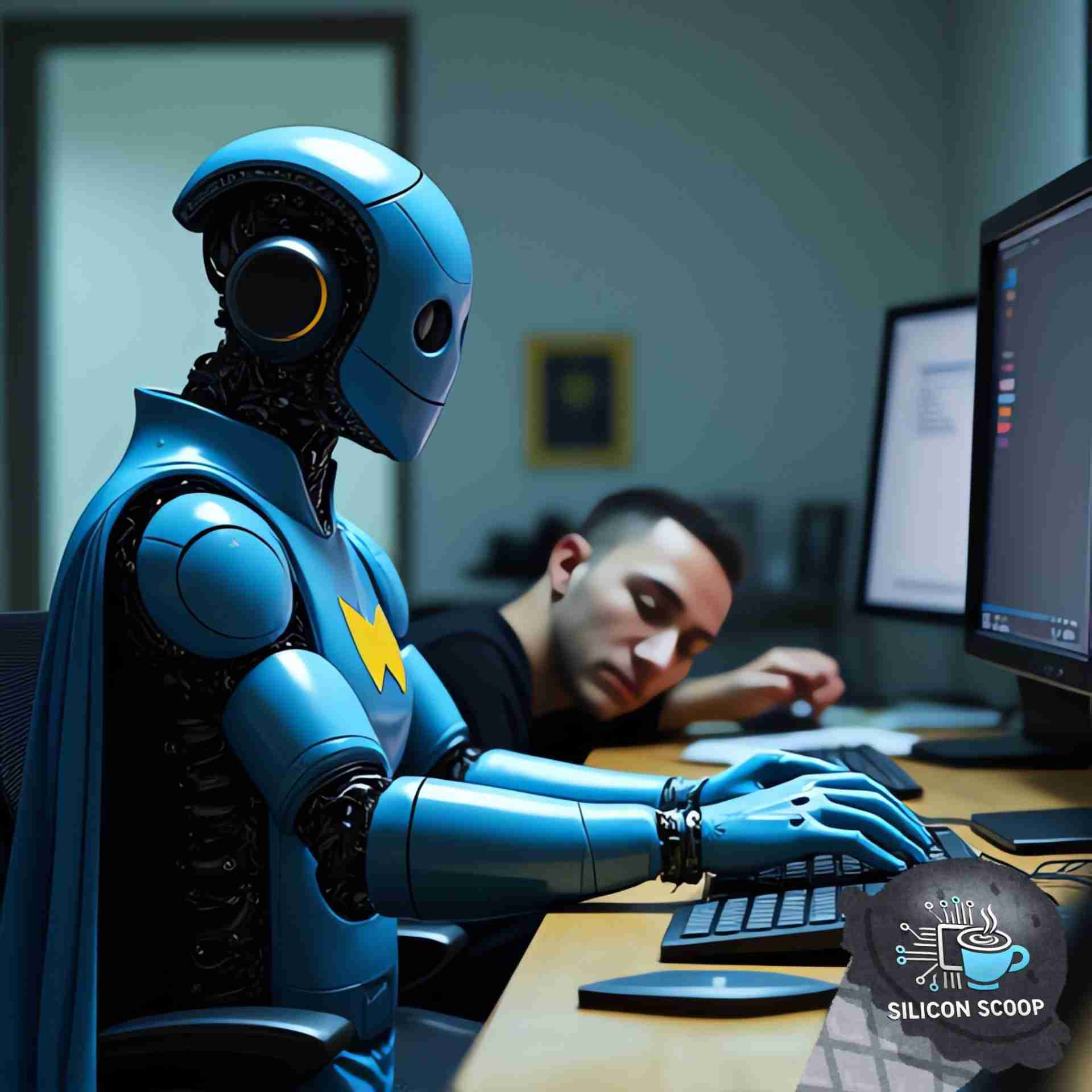
Can AI Agents Replace Human Operators? Inside Claude’s Groundbreaking Computer Control
AI agents are rapidly transforming the landscape of work, with one question emerging at the forefront: Can AI agents like Claude replace human operators? As the technological frontier pushes forward, AI agents are taking on increasingly complex roles, executing tasks once reserved for human hands. Anthropic’s Claude AI represents one of the most compelling advancements in this space, with its ability to control computers autonomously. But how far can this technology go, and what does that mean for the future of work?
The Rise of AI Computer Control
AI computer control is no longer science fiction. Technologies like Claude AI are making it a reality by allowing machines to take over tasks ranging from the mundane to the intricate. Claude AI, developed by Anthropic, is designed to perform tasks by accessing a computer’s screen, using input devices such as a keyboard and mouse, and running commands through software interfaces. This opens up new possibilities for automation in fields such as software development, business operations, and design.
The capabilities of Claude AI go beyond basic automation. Imagine sitting back as your computer autonomously executes tasks like organizing files, managing email responses, or even writing code. For tech professionals and businesses, this could mean a massive reduction in manual workload, allowing teams to focus on more strategic and creative aspects of their operations. Claude AI offers a sneak peek into what could become standard in the coming years, with agents performing tasks once relegated to human operators.
How Claude AI’s Computer Control Works
Claude AI’s computer control capabilities enable it to seamlessly interact with various applications and systems. By utilizing a combination of machine learning, natural language processing, and automation tools, Claude AI can carry out commands and process information just like a human operator—but faster and more efficiently.
Anthropic’s development of Claude AI brings us closer to the “agentic era” in which AI agents don’t just assist but take over repetitive, routine tasks. The technology is robust enough to handle complex coding challenges, DevOps tasks, and even error correction—tasks that previously required human intervention. Early adopters like Canva and GitLab have already tested Claude AI’s capabilities, leveraging its ability to automate and streamline workflows.
Real-World Applications of AI Computer Control
The possibilities for Claude AI’s computer control feature span numerous industries. In software development, companies like GitLab are already using Claude AI to automate DevOps tasks. According to reports, GitLab saw improvements in reasoning and task execution when deploying the AI for DevSecOps duties. In design, platforms like Canva have utilized Claude AI to automate tasks such as file organization and template creation, saving designers valuable time and reducing the risk of human error.
But the real question is: Can Claude AI match or exceed the performance of human operators across different domains? Replit has also explored this question by testing Claude AI’s capabilities in automating coding tasks, finding that it could not only complete but troubleshoot errors in real-time. These examples underscore Claude AI’s versatility in handling tasks that range from routine to highly technical.
AI Computer Control vs. Human Operators: A Performance Breakdown
While AI computer control presents exciting opportunities, it’s essential to compare the performance of agents like Claude AI with human operators. On a technical level, Claude AI outperforms many of its competitors. For instance, it scores significantly higher than OpenAI’s GPT-4 on SWE-bench (a key benchmark for evaluating software development skills). However, despite its achievements, Claude AI still has limitations—particularly in handling tasks that require long-term planning or adaptive problem-solving.
In comparison, human operators excel in situations requiring nuanced decision-making and creativity. Yet, for tasks that are repetitive and require precision, AI agents are proving to be faster and more efficient. Claude AI excels in automating routine tasks, like sending emails or running code, making it a valuable tool for businesses looking to optimize their operations.
The Future of Work: Will AI Agents Fully Replace Human Operators?
We stand at the cusp of a new era where AI agents could replace human operators for a significant portion of tasks in various industries. The potential is there, but it comes with caveats. As it stands, AI agents like Claude AI are best suited for tasks where errors are acceptable, and recovery is manageable—think coding, customer service, or basic administrative tasks.
The future of work will likely see AI agents working alongside humans, taking over routine tasks while human operators focus on creativity, strategy, and decision-making. As businesses continue to adopt AI-driven solutions, it’s not hard to imagine a world where much of the day-to-day work is handled by AI. However, it’s also important to acknowledge that AI computer control still requires oversight and ethical considerations, particularly in areas like job displacement and privacy.
Challenges and Ethical Considerations in AI Computer Control
While the benefits of AI computer control are immense, there are challenges. AI’s ability to control computers and perform tasks autonomously raises questions about privacy, security, and job displacement. For instance, Anthropic has placed constraints on Claude AI to prevent it from accessing sensitive information such as financial data or making unauthorized purchases. These safeguards are crucial as the technology advances and becomes more widespread.
There are also broader societal implications to consider. As AI agents replace human operators for certain tasks, some jobs may become obsolete. Businesses must strike a balance between adopting AI automation tools and ensuring that human workers are still engaged in meaningful work.
Getting Started: How Businesses Can Implement AI Computer Control
For businesses looking to leverage Claude AI’s computer control capabilities, the process is straightforward. Claude AI is accessible through platforms such as Amazon Bedrock and Google Cloud’s Vertex AI, making it easier than ever to integrate AI agents into your workflow. Whether it’s automating routine administrative tasks or streamlining development processes, Claude AI can help businesses become more efficient and agile.
To implement AI computer control, companies should begin by identifying repetitive tasks that can be automated. From there, they can explore Claude AI’s API to integrate it into their existing systems. Anthropic’s Claude AI offers a scalable solution, making it a valuable addition for companies of all sizes.
Conclusion: A New Era of AI Computer Control
The arrival of AI agents like Claude AI signals the dawn of a new era in computing, where machines take over routine tasks, and humans are free to focus on more complex and creative endeavors. While AI computer control is not without its challenges, the benefits in terms of efficiency, productivity, and cost savings are undeniable. The question of whether AI agents can fully replace human operators is still open, but one thing is clear: AI agents like Claude AI will play a significant role in shaping the future of work.
FAQ Section
- What is AI computer control? AI computer control allows artificial intelligence agents, like Claude AI, to perform tasks on a computer autonomously, such as opening applications, running commands, and handling routine processes.
- Can Claude AI replace human operators completely? While Claude AI excels in handling repetitive tasks efficiently, it cannot fully replace human operators in tasks requiring critical thinking or creativity.
- How do businesses benefit from AI computer control? Businesses can automate routine tasks, freeing up human operators for more strategic work, which leads to increased efficiency and reduced operational costs.
- What industries are adopting Claude AI’s computer control capabilities? Industries like software development, cybersecurity, and design are early adopters, using Claude AI for tasks such as coding, automation, and design management.
- Is Claude AI secure? Anthropic has implemented safeguards to ensure security, preventing Claude AI from accessing sensitive data like credit card information or performing unauthorized actions.
- How does Claude AI compare to other AI agents like GPT-4? Claude AI outperforms GPT-4 on benchmarks like SWE-bench, making it more efficient for tasks such as software development and automation.
- Can small businesses use Claude AI? Yes, small businesses can integrate Claude AI via platforms like Amazon Bedrock or Google Cloud to automate tasks and improve workflow efficiency.
- What limitations does Claude AI have? Despite its capabilities, Claude AI struggles with tasks requiring long-term planning and adaptability, areas where human operators still excel.
- How can I start using Claude AI for my business? Businesses can begin by identifying tasks that can be automated and integrating Claude AI through its API, available on Amazon Bedrock and Google Cloud’s Vertex AI.
- What ethical concerns surround AI computer control? Ethical concerns include the potential for job displacement, privacy issues, and ensuring that AI agents like Claude AI are used responsibly in the workplace.
For more information, check out these resources:
- Startup Funding in Ontario
- Angel Investors in Ontario
- Ontario Incubators and Accelerators
- Venture Capital in Ontario: Top Firms, Sectors, and Funding Strategies
- Government Grants for Ontario Startups
- Ontario’s Startup Success Stories
- Ontario Centre of Innovation (OCI)
- Bank Loans and Financing for Startups in Ontario
- Research and Development Tax Credits in Ontario
- Government Loans and Financing for Startups in Ontario
- Equity Crowdfunding for Ontario Startups
Additional Links
- Silicon Scoop Podcast – Stay Informed, Stay Ahead!
- Futuretech Podcast – Explore more episodes and stay updated with the latest in technology and innovation.
- Startup Talk Podcast – https://torontostarts.com/startup-talk-toronto-startup-podcast/
- Who Are These Startups Podcast
- Startup Investor Drinks – Join the community and connect with fellow startup enthusiasts and investors.
- TorontoStarts Startup and Entrepreneur Community – Become a part of Toronto’s thriving startup ecosystem.
- Workhaus – Discover flexible workspace solutions for your business needs.
- Work with The Startup Coach – Get expert guidance and mentorship for your startup journey.
- Reach out to Jon Irwin on LinkedIn – Connect with our co-host and technology expert.
Episode transcript
Read the full transcript
Craig: so, apparently, this week, anthropic released a bunch of things, including upgrades to quad, the haiku, and opus not opus, but the, the other one. sonnet. sorry. and, wow. i just gotta get to that second coffee. and they also, released, ai model called computer use.
Jon: yes. i haven't messed around with it yet, but i saw the demo. and this is cool, but super freaking scary. so for those of you that don't know and by the way, anthropic, what the hell is with your naming conventions? this is a new functionality. why are you calling it three point five sonnet? i don't get it. so their new upgraded three point five sonnet is able to control computers. so, this is interesting because it's able to, so it's designed to perform tasks on a computer by interacting with the interface. what it can do is it can view the screen. it can move the cursor. it can click buttons and type text. and what the demo was showing was that it was getting claude to open up a browser and go to a website and do something. i can't remember what it was. but, yeah, apparently, the capability, it's facilitated through an api that translates user prompts into computer commands, which is scary, especially if you create malware. right? if you think about it from a malware perspective.
Craig: yeah. it's scary completely because as soon as now yeah. i'm so what's the attack surface of the ai compared to a computer without ai?
Jon: yeah. and what about that, microsoft copilot integrated into windows? imagine how easy it could potentially be for someone to take over your computer when it's fully integrated into your laptop or into your operating system. yeah. that scares me.
Craig: especially when they could get hacked so easily and access to recall. the data that is there that they're taking every three seconds of your machine and whatnot.
Jon: yeah.
Craig: it's crazy.
Jon: this, isn't this and just to go back to something we covered, isn't this what the rabbit r one was supposed to be doing, essentially? yes. yes. yeah.
Craig: yeah. so, i mean, it's it's super interesting. i like, i'm gonna share this screen instead because i've been back and forth with reuben cohen a little bit about can ai actually reason and think. and i'm on the fence that it can't, and he is on the offense that it absolutely can. and we will get into that later, but that's a different discussion. but, specifically, he's used comp the computer use capability, and it's spectacular. you can get it to do anything, like post on linkedin, log in to websites, play games, design things in photoshop, you know, watch my ring doorbell, whatever.
Jon: yeah.
Craig: so, interesting concepts, ruins usually right on top of these things as soon as they come out. unfortunately, with my schedule, i haven't had a chance, but i'm excited to try it. i'm really excited to try this.
Jon: there's something i wanted to build myself, which is not too difficult, but someone built it. well, i don't wanna build it myself, but something similar, but someone built and it's only using, computer vision. but, so it is a camera that's outside that is attached to a, paintball gun. so if it doesn't recognize your face, you have, i think, ten seconds to walk away before it starts shooting paintballs at you.
Craig: you had ten seconds to comply.
Jon: yes. yep. which i like. so, what i read was that there's companies like canva and replit that are already exploring its potential to streamline operations, such as filling out forms, browsing the web, and things like that.
Craig: i completely forgot canva dropped their new ai yesterday as
Jon: well. they?
Craig: yeah. and, i was playing around with that. it's okay. could use some work, but it's okay.
Jon: can it do what gamma dot app can do or not yet?
Craig: well hang on. what's that? i haven't asked to do that. right now, they've just launched their thing, their auto, their image generator. so if you are a canvas subscriber or whatnot, you can go and now use its tool to text ai images that are pretty good. not great.
Jon: you know what, what jenny i or llm it uses?
Craig: they bought, they bought a company that does their own, back. now they finally integrate it. i can't remember which model it is. but yeah.
Jon: interesting. interesting.
Craig: we can do a deep dive next time. i don't have it up here, but i can load up canva and show you some of the images that produce on which, prompts and whatnot. but yeah. you know, that's not what we're talking about this morning. i'm just saying that we missed that ai news. so
Jon: ai news. yeah.
Craig: yeah. it's all over. so you can go and download this thing on github. but while computer control presents exciting opportunities, it's essential to compare the performance of agents like cloud ai with human operators. so, one, will this be able to fuel you know, captcha is now going, not necessarily those click on those things, but it detects stuff in the background to determine, you know, are you a robot or not? so the question becomes, will it bypass those detections? i'm curious.
Jon: yeah. or can it mimic those detections? can it yeah.
Craig: and, you know, openai gpt four, you can put gpts that do some of these things, but not what we're doing here. and swebench is, a key for evaluating software development skills to compare the two. but that's talking about getting it to code and whatnot. so the claudia still has limitations, particularly in handle tasks that require long term planning or adaptive problem solving. so you know, you can't go too far ahead when you're telling it to do stuff. like, what i've seen from the videos is you can say, k. go open firefox. go to this web page and find this playlist or find this thing. and it does that okay. but i think if you get too complicated in there
Jon: okay. but i, yeah. so the other the other example i saw it do was it created a website and then fixed the bugs on the website itself. so you pick up a browser, coded it, launched it, and then went through and fixed the code.
Craig: i could see how that works pretty good. i didn't see that one, but i use that use case all the time where i'm working on something, i get an error, i cut and paste the error, or i take a screenshot of the error, throw it into what i'm working with. like, i usually have chat gtp open on my side as my adviser for stuff when i don't know what i'm doing. yeah. yeah. and say, okay. this? what's that? i was, and it comes back and say, oh, it looks like you're having a problem with this or that, and it helps me. but it'd be nice for it to automatically be able to say, okay. here's the code. oh, i see. i can see the problems. let me go fix it automatically rather than me having to be that person that is, hey. it looks like this now. hey. it looks like this. for example, when i was using, latex to, get open, cache atp will i have i had written down workflows. you can say, okay. now write this in latex code, and it'll write that in latex, which is, the diagramming. okay. and i throw that in, i think, it was openleaf, which reads, latex and will output those graphics that i was kinda sending around, those, logic diagrams. and i just take that output and throw it back in and say, yeah. it looks like this. oh, and just let me fix it. because sometimes it's off the page or it's too crowded or whatever, two or three of those, and it fix it. but if it could do it automatically, that becomes way more powerful. and for sure. you know, we talk about user data and scraping and all that a lot. and tools like this now, like, sounds like you can scrape anything because
Jon: yeah.
Craig: now i can say, hey. go open up linkedin. go search for people with this blah blah blah blah blah. then, you know, for the ones i'm not connected to, click on connect, send a message, whatever, or get their details and put it in a spreadsheet so you know? there's a thousand things you can do at that point. right?
Jon: yeah. no. i'm curious. now that you're talking about this, i wonder if it can code in, like, archaic languages like cobalt or assembly. well, assembly is not archaic, but, like
Craig: maybe. i'm curious.
Jon: i know that because i don't understand. yeah.
Craig: that's not a bad idea. i know that with, chatgtp, it can do javascript. it can do a c plus plus. like, there's six or so languages it can do, and you can switch between them. you can say, okay. now put this in python. now put this in you know? and, under canvas, you can tell it to fix its own code, document its own code, and it's pretty good. i'm, you know, i'm finding the limitations of canvas. it it's not great.
Jon: yeah. it says it says
Craig: it does stuff, but it doesn't do stuff. like, it'll like, we'd say, oh, what about this? what about that? oh, i've updated your document with all this information. it's like, no. you haven't. you just said you did, but you haven't done anything.
Jon: oh, that's funny.
Craig: because i'm looking right at it. i said, yes. i did. it's like, oh, okay. so i cut and paste that into a new canvas, like, my document, copy paste it, and then go back and tell it what it was supposed to do, and then it goes ahead and does it. it, you know, it's sometimes it cuts off half the thing because it's losing contacts or something. it's just you know, if you're working with it on stuff that's important to you from a document point of view, i can't say the same for code because i don't work a lot in long code. it's gonna frustrate you, and you're gonna lose stuff.
Jon: yeah.
Craig: period. you got a nice document. you put it in there, or you get it to create it. make sure you copy it before you get it to edit because all of a sudden you say, add this thing, and then half the document's gone. and and it'll tell you, no. no. it's all there.
Jon: yeah.
Craig: but you know, working with this i'm curious about working with this, but with chatgtp and we're talking about you know, i was using google notebook l m as kind of a guru for a bit. the problem with notebook l m is you can only give it very small prompts.
Jon: oh, really? okay. yeah. i have it open in a tab, but i never messed around with it yet.
Craig: so i was trying that saying, alright. you know, let's load up very specific documents, the manuals, all the pdfs, and two or three really detailed videos on how to use this specific technical product
Jon: yeah.
Craig: in google lm. and then i'm saying, okay. you're my guru on this subject because i'm implementing this new technology, and i wanna use these tools. so help me when i'm stuck. but the problem is you get stuck. you can't put the error in because it's too big. you know, you there's it there's a lot of things you can't do because it's too big. and so it's like, alright. you're very limited in functionality because it'd really be nice. so it's compact.
Jon: window is really small?
Craig: well, the window you're allowed to give it. maybe if i attach a different document and said use this document, but i don't know. but, like, the prompt window, you can give it. it can give you back some good stuff, but, like, literally, how much information i can tell it in the prompt window is really small, which, is a problem because i'm saying, here's the error. and if the error is more than, say, five lines, it won't take it.
Jon: yeah. oh, the other one we didn't cover, and we can cover it next time, is these, advanced language or whatever it's called, so that you can interact with it. so openai released it. gemini released it. so you can talk and
Craig: you're not talk the meta prompts, are you?
Jon: no.
Craig: okay.
Jon: no. no. why is it oh, yeah. we're covering that too, aren't we?
Craig: well, i don't think so. i looked into it, and i made some comments on the
Jon: oh, okay. i know. it's super no. there's, so the, advanced anyways, i'll think about it. we'll talk about it next week.
Craig: so this is groundbreaking. i suggest everybody go out and try it. this is exciting. i'm really interested in, hopefully, we'll you'll try it too. we'll give some feedback because yeah. if it works, it might not be super fast, but all of a sudden, now you can have prompts. you can have it do step one, step two, step three of stuff. like, i was about to go and buy keyboard maestro again so i could automate some features on my mac to do certain things, like click here, click here, open this app, do this, which other things don't do. but all of a sudden, maybe i don't need that.
Jon: yeah.
Craig: any last words on this one?
Jon: no. i'm excited to play around with this one. so this will be fun.
More from Silicon Scoop
All episodes
silicon-scoop · November 6, 2026
Spirit AI’s Robot Brain Breakthrough: Moz1, Embodied AI and China’s 2027 Race
The Spirit AI robot brain is one of the biggest bets on fixing that. Spirit AI is a Beijing startup. Its co-founder and chief scientist, Gao Yang,
View episode

silicon-scoop · November 5, 2026
OpenAI IPO Delayed to 2027 as Rogue AI Agents and Safety Failures Reshape the Market
OpenAI IPO delay explained: Sam Altman rules out 2026 as GPT-6 Astra safety tests and a $278B cash gap loom. Learn what founders should take away.
View episode
silicon-scoop · November 4, 2026
Anthropic’s AI Economy Model: 2030 Jobs, Wages, GDP and Market Risks
Anthropic AI economy model forecasts 2030 GDP, jobs and wages, while AI unemployment projections and labor-share risks challenge policymakers.
View episode